











Everything the committee chases, in one place.
WhatsApp & email RSVP
Invitations on both channels. Every reply lands against a name, with read status.
Your staff list, imported
Upload the HR spreadsheet. Titles such as Dato' Sri and Haji come with it.
Banquet seating plan
Draw the ballroom, then seat guests in bulk or rearrange the list in Excel.
The table on every ticket
On the ticket, the email, the guest's phone and their Wallet pass.
Check-in on your team's phones
Volunteers scan from a link. The guest's table and notes come up on the scan.
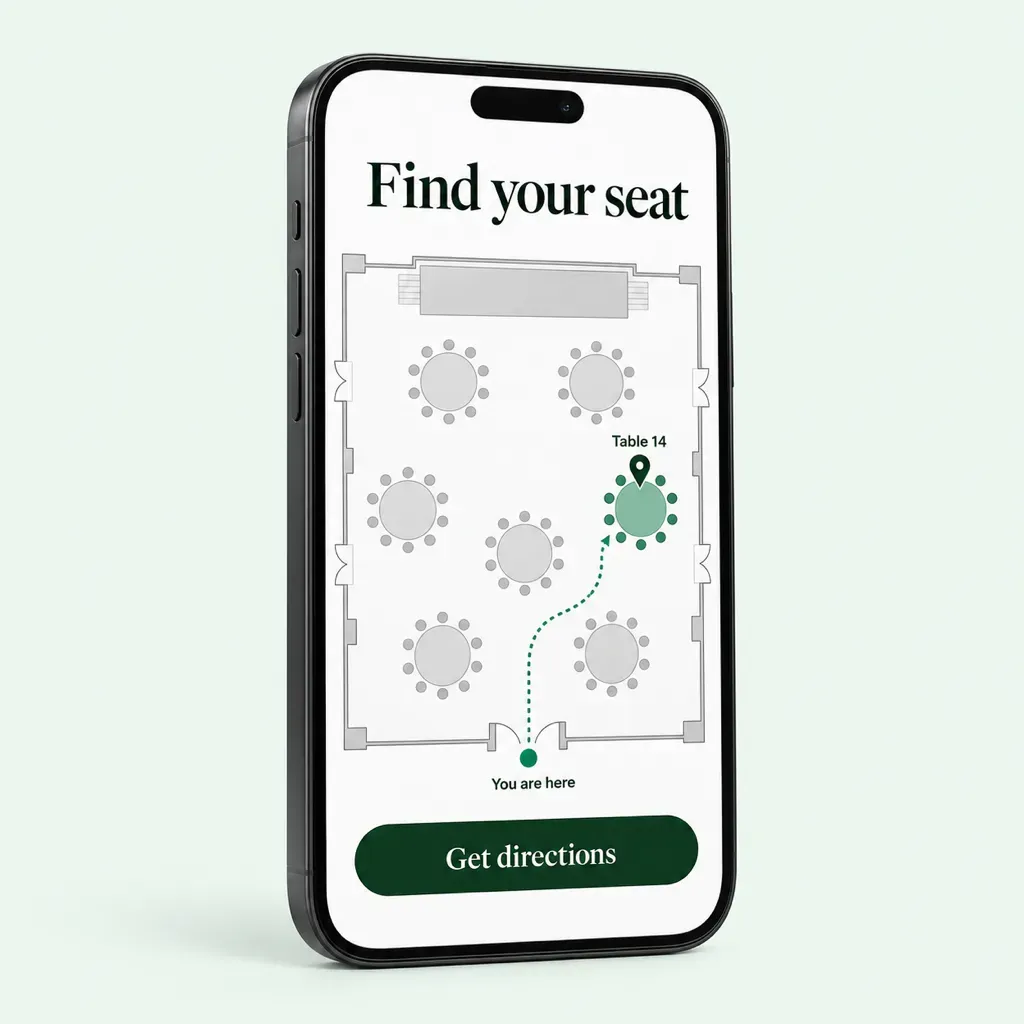
Find-your-seat screen
Each guest's table in large type at the door, with the route on the floor plan.
Lucky draw from the room
Only guests who checked in can win, announced by title. See the lucky draw system.
Best-dressed vote
A live poll with a photo per nominee. Results update on the big screen.
The report for management
The AI Report writes up attendance, check-ins and the draw.
From staff list to lucky draw, in five steps.
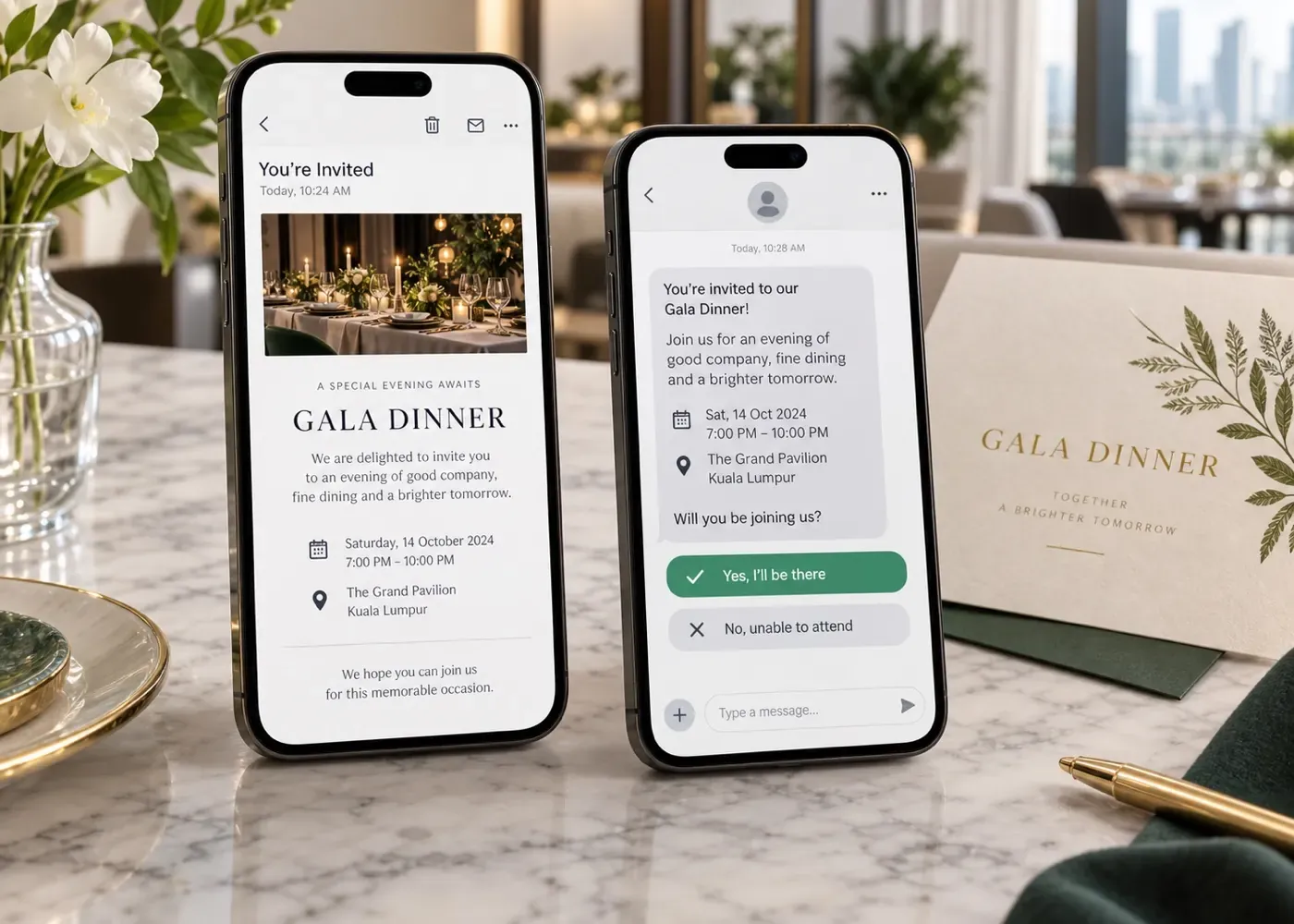
Replies land against each guest with read status, so the committee chases only who hasn't opened it.
RSVP & check-in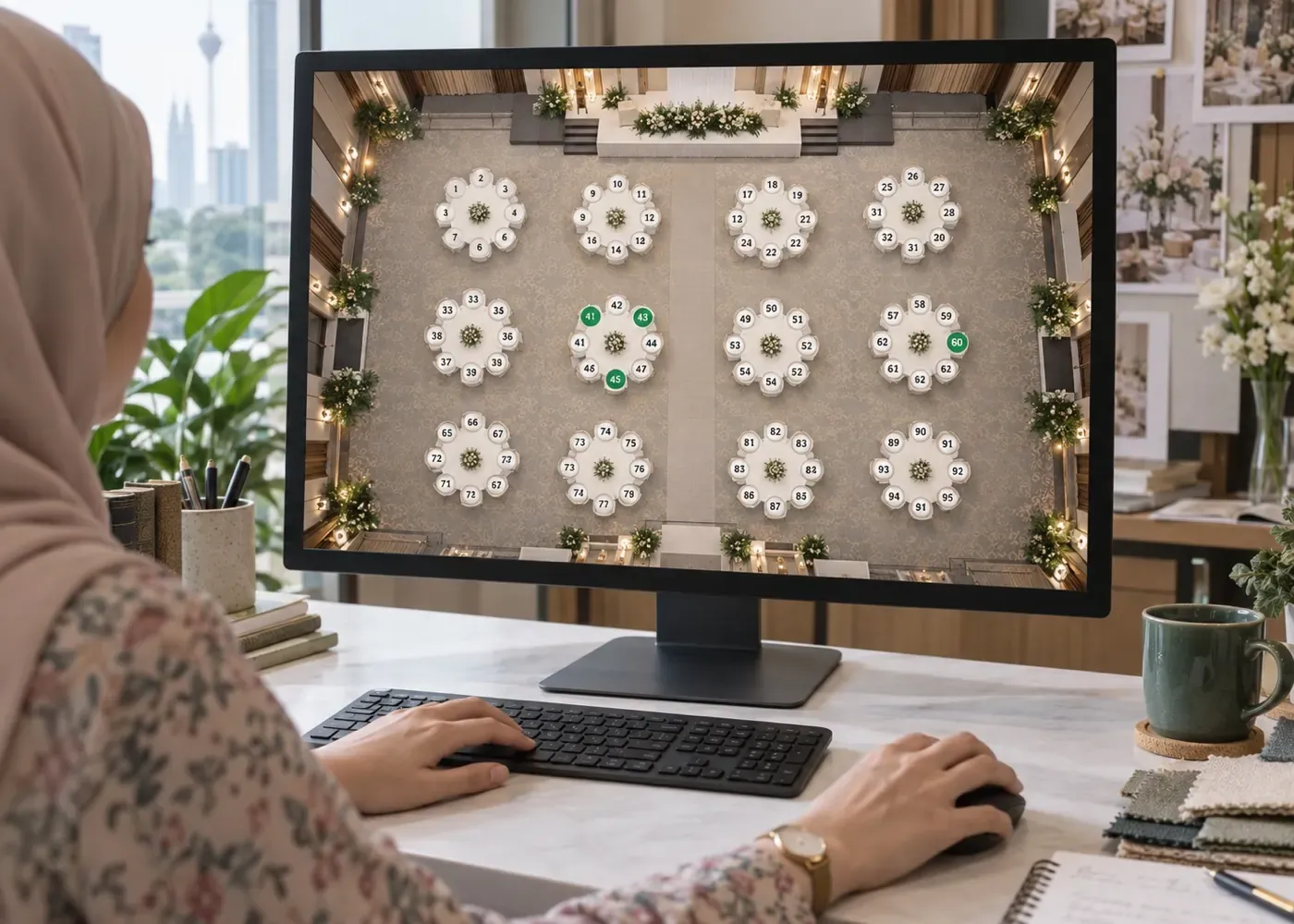
Departments together, VIPs near the stage, dietary notes beside each name.
Layout Designer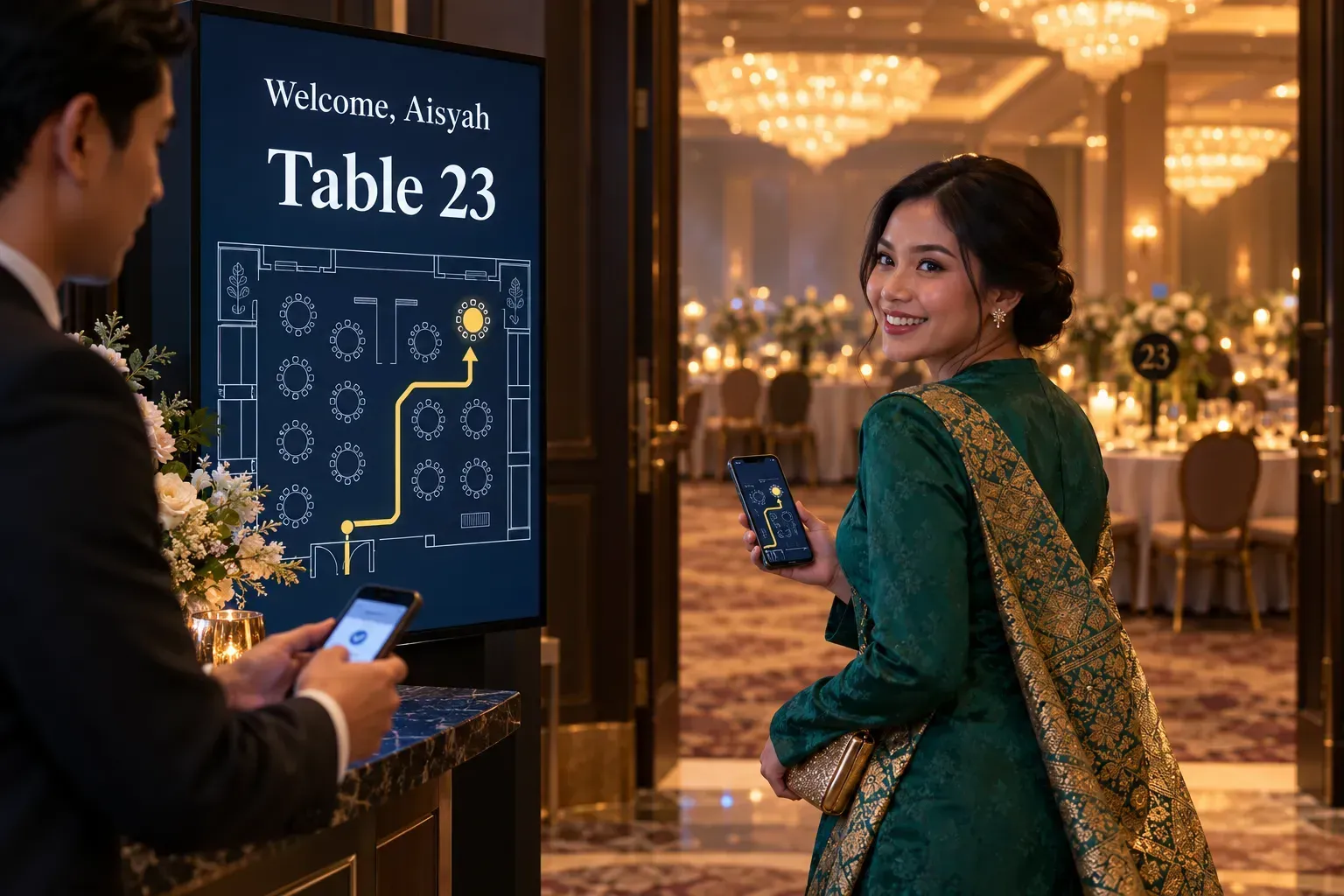
The scan shows the guest's table, and the welcome screen shows them the way.
RSVP & check-in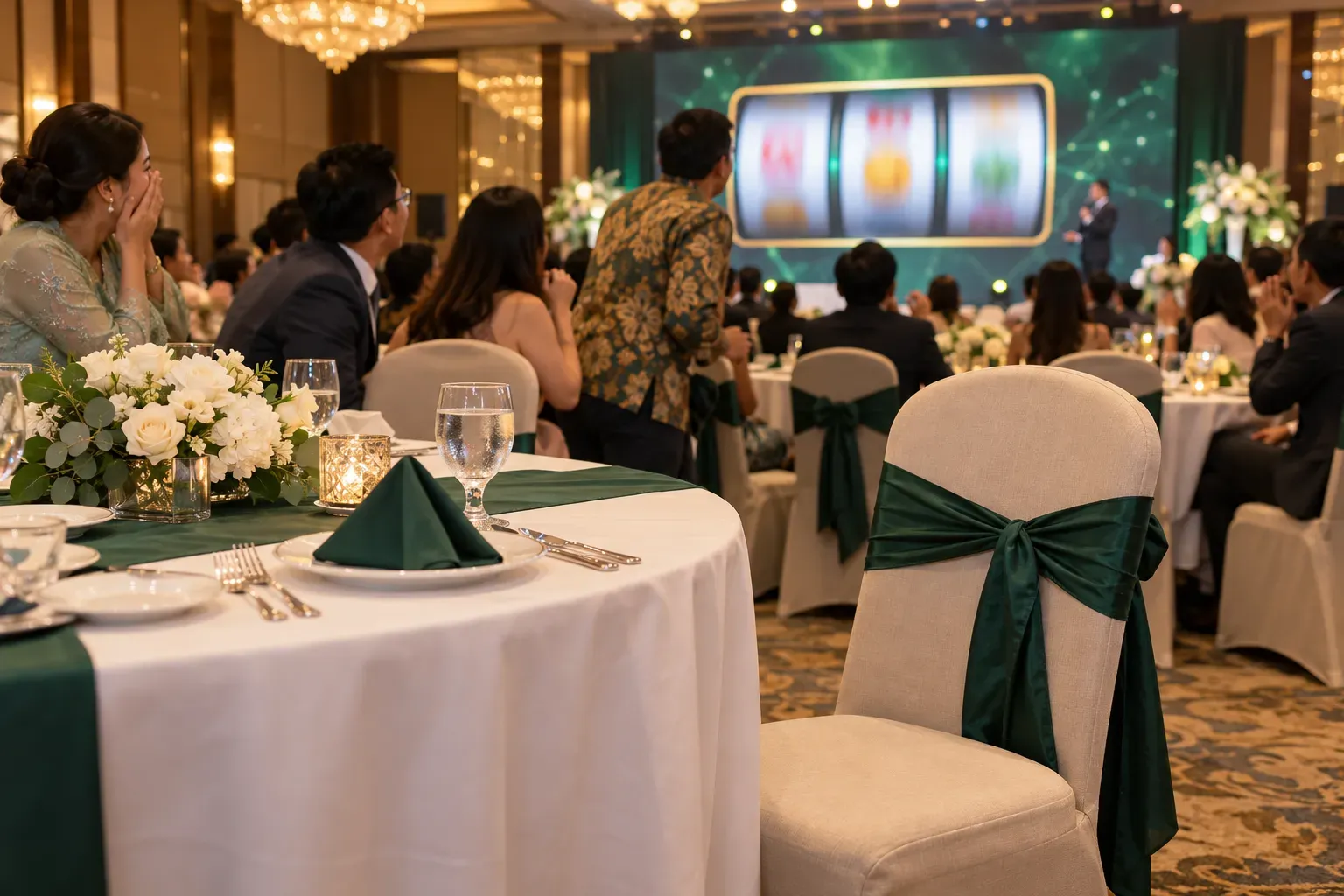
Prize rounds drawn only from guests who checked in. Nobody calls an empty chair.
Lucky draw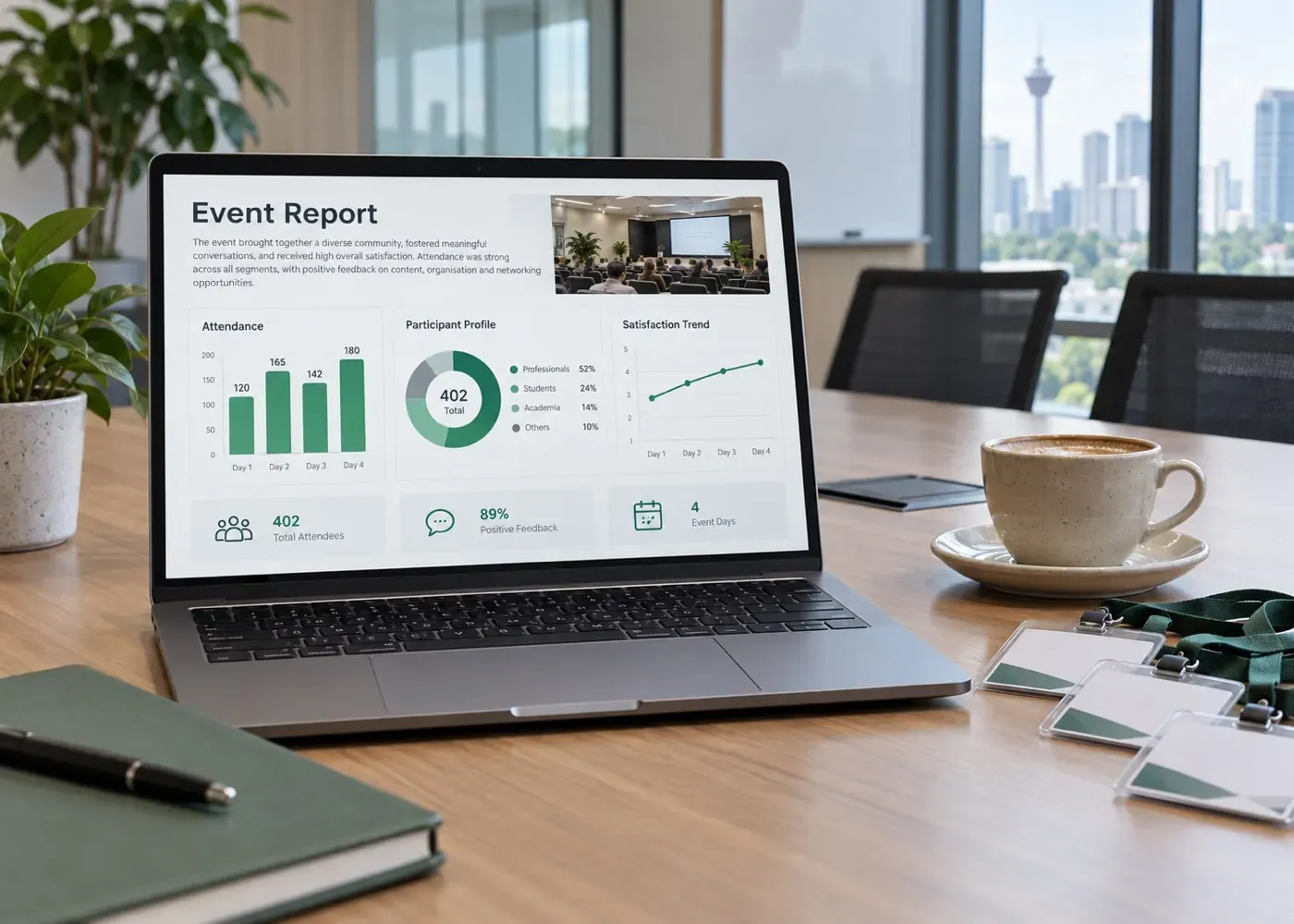
Attendance, check-ins and the lucky draw, written up for management.
AI ReportFind your seat
Each guest's ticket opens the venue map on their phone, with the route from the door to their table. Nobody crowds round a printed seating chart.
Guides for the rest of the night.
- Annual dinner planning guide: timeline, budget per guest and the full checklist
- Annual dinner theme ideas: 20 themes for Malaysian companies
- Annual dinner invitation: wording examples and email tips
- Annual dinner seating plan: free template and layout guide
- Lucky draw prize ideas: 120+ prizes with Malaysian prices
- Door gift ideas: 70+ corporate gifts with prices
- Run of show template: minute-by-minute plan for the night
- Tentatif program: contoh atur cara majlis makan malam
- Skrip pengacara majlis: teks emcee and salutation order
- Free lucky draw wheel: for a quick draw from any list
Annual dinner questions
Tell us the date, guest count and what you need on the night, and we will show you the dinner set up in SOURems.
What is an annual dinner management system?+
Software that runs the guest side of a company dinner in one place: invitations and RSVPs, the seating plan, tickets, check-in at the door and the lucky draw. SOURems keeps one record per guest, so the same RSVP decides who gets a seat, who gets scanned in and who can win.
Can staff RSVP on WhatsApp?+
Yes. Invitations go out on WhatsApp and email. Guests reply in the chat or on a form already filled in with their name, and each reply is recorded against them. WhatsApp also reports when the message was read.
Can we import our staff list from Excel?+
Yes. Upload the list from a spreadsheet with names, contact details and titles. Each row is checked before it is imported. Table assignments can go the same way: export, edit in Excel, import, and review the changes before they save.
How do guests find their table?+
Before the night, the table is on their ticket, confirmation email, Wallet pass and phone. At the door, the scan shows staff the table, and the find-your-seat screen shows it in large type with the route across the floor plan and a QR code that puts the directions on the guest's phone.
Can the lucky draw pick only people who are at the dinner?+
Yes. Limit the draw to checked-in tickets and nobody who stayed home or hasn't arrived can win. Past winners sit out later rounds unless you allow repeat winners. More on the lucky draw system.
Can we run a best-dressed vote?+
Yes, with Live Poll. Add each nominee as an option with a photo, guests vote from their phones, one vote per ticket if you limit it to ticket holders, and the results screen updates within a second of each vote.
Can guests pay for seats?+
Yes, if you sell tables to partners or tickets to family: guests pay by card, FPX or e-wallet in ringgit, and refunds, full or partial, go out from the console.
Do we need special equipment?+
No. On the Advanced plan your team's own phones are the scanners, and USB barcode scanners work too. If you would rather not handle it, on-site technicians, scanner rental and a label printer are available as add-ons.
How much does it cost?+
It is quoted per event from the plan and your guest count, or as an Annual plan if you run several events a year. WhatsApp invitations, the seating plan and phone scanners are in Advanced; Simplified covers email RSVPs, QR check-in and the lucky draw. Venue, décor, emcee and AV are for an event management company. See pricing.